
Virus, Malware & Scam Pop-Up Removal in Coffs Harbour & the Mid North Coast
Flashing security popups, locked browser screens, or unexpected remote-access callers can be genuinely alarming. We collect your computer directly from your doorstep, safely disconnect remote backdoors on our isolated workbench, and return your system secure and clean.
Book a Safe System Cleanout
We collect from your home, office desk, or job site across the Coffs Coast so your workday isn't interrupted.
How Our Doorstep Malware Cleanout Works
Scam situations cause real anxiety. We handle the entire technical cleanup smoothly and keep you informed every step of the way.
Doorstep Collection
We swing by your home, office desk, or trade site across the Coffs Coast. No need to crawl under desks—we carefully unplug and collect your PC, monitor, and cords for you.
Isolated Workbench Cleanout
We connect your machine to an isolated offline test environment. We strip malicious software, audit hidden background services, and call you with a clear fixed quote before proceeding.
Returned Secure & Tested
We bring your computer back to your door, reconnect all cables, verify Wi-Fi connectivity, and confirm everything opens cleanly without scam pop-ups or unwanted background programmes.
What We Diagnose, Clean & Secure on the Bench
Modern scams rarely involve simple viruses. They use deceptive browser locks, remote-access backdoors, hijacked search bars, and predatory subscription pop-ups. We systematically audit your entire operating system in an isolated workshop environment to ensure no lingering threats remain.
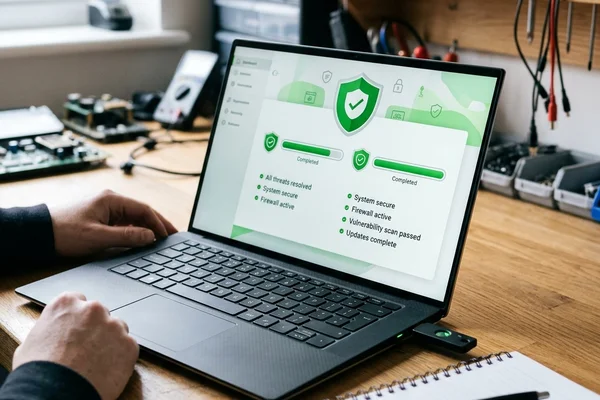
Fake Pop-Ups & Locked Browsers
Full-screen flashing alerts claiming your computer is infected by Telstra or the Australian Federal Police, often accompanied by blaring sirens and urgent demands to call an emergency toll-free number.
Remote Access & Backdoor Removal
If an unsolicited phone caller convinced you to download AnyDesk, TeamViewer, UltraViewer, or Zoho, they often leave silent remote-access tools behind to reconnect later without your knowledge.
Search Hijacks & Adware Clean-Out
Searching in Chrome or Edge redirects you through shady search portals, unwanted desktop shopping ads pop up constantly, and strange browser toolbars appear without your permission.
Banking & Identity Safety Audit
Experiencing acute stress after typing passwords or opening online banking while someone was remotely connected. You need total certainty that your credentials are not being captured.
Defender Hardening & System Updates
Disabled security engines, broken Windows update services, or bloated third-party security subscriptions that slow down your computer while displaying aggressive renewal notices.
Severe Infections & Clean OS Reloads
When deep rootkits, corrupted system binaries, or aggressive malware have permanently damaged the operating system, a clean factory reload is the safest path forward.
Simple $90/hr Labour. Transparent Quotes.
We believe you deserve honest advice without surprise bills. Our initial $90 diagnostic assessment fee is credited 100% towards your cleanup if you proceed with our quote.
- ✓Labour billed at $90 per hour in transparent 30-minute blocks ($45)
- ✓No Diagnosis = No Fee (if we cannot diagnose the issue, you pay nothing)
- ✓Free doorstep collection and return across the Coffs Coast corridor
15% Concession Discount
We proudly support ADF veterans, active defence personnel, and Pensioner Concession Card holders with an ongoing 15% discount on all service labour.
Frequently Asked Questions
Answers to common questions about scam pop-ups, remote access, and computer cleanouts.
Someone connected to my computer remotely during a scam call. What should I do right now?▼
Immediately shut down your computer or disconnect your Wi-Fi router to cut off any active connection. Do not continue typing passwords or accessing bank accounts. Call us to arrange a doorstep collection so we can inspect and safely remove any remote backdoors, hidden services, or keyloggers they may have installed. If you entered online banking details or passwords while they were connected, contact your bank's fraud team immediately from a separate device or phone.
Will removing a virus delete my photos and files?▼
In the vast majority of cases, your personal files remain completely intact. We work with offline bootable diagnostic environments to isolate and strip malware without touching your pictures, documents, or browser bookmarks. If a severe ransomware infection or deep system file damage requires a fresh operating system reload, we safely extract your personal documents and photos to offline storage first before reinstalling Windows or macOS.
How much does virus and scam cleanout cost?▼
We charge a fair $90 diagnostic assessment fee, which is credited 100% towards your repair if you decide to proceed. Standard malware cleanouts and scam security audits are billed at our straightforward $90 per hour labour rate in 30-minute blocks ($45). We also provide a 15% labour discount for ADF veterans, active defence personnel, and Pensioner Concession Card holders.
Why am I getting full-screen warnings saying my computer is locked?▼
These are almost always fraudulent browser-hijack scripts designed to create panic. Scammers spoof logos from Telstra, Microsoft, or the Australian Federal Police and play alarming siren audio to intimidate you into calling a toll-free number. Your computer is not locked by the government. We safely terminate these rogue scripts, clear malicious notification permissions, and restore your browser so it starts up normally.
Do I need to buy expensive third-party antivirus subscriptions?▼
In most cases, no. Built-in Windows Defender and macOS XProtect provide robust, lightweight protection when properly updated and configured. Many paid third-party antivirus programmes consume excessive memory and generate aggressive pop-up renewal notices. We ensure your native system defences are fully updated and active, saving you from expensive recurring software subscriptions.
Serving the Entire Coffs Coast Region
We collect and return directly across the coastal corridor—no need to drag your computer into a repair shop.
Other Ways We Can Help Your Computer
Laptop & Desktop Computer Repairs
Slow computers, overheating fans, broken laptop screens, and hardware diagnostic bench testing.
Learn more →Hard Drive & Data Recovery
Dead computers, clicking drives, and retrieving family photos or business files.
Learn more →Hardware Upgrades & Custom Builds
High-speed NVMe SSDs, RAM expansions, and custom-tailored desktop computers.
Learn more →Stop the Panic. Let's Get Your Computer Secured.
Free pickup from your front door, desk, or site. Isolated workshop diagnosis, upfront quotes, and zero pushy scare tactics.